Multi-Agent Systems Patterns: A Practical Guide to Designing Agent Workflows
One agent is rarely enough for real enterprise work. The question becomes how to coordinate many of them. Here are the multi-agent patterns that hold up in production, and how to pick between them.
Why one agent is not enough
A single agent with a good prompt and a few tools can take you a long way. But once the work spans multiple domains, multiple data sources, or multiple steps that each require different reasoning, a monolithic agent starts to wobble. Context windows fill up. Instructions contradict. The model forgets what it decided three turns ago.
The fix is not a smarter model. It is a better architecture. Multi-agent systems break a problem into specialized agents that each do one job well, then coordinate to deliver the whole. The interesting question is not whether to use multiple agents. It is which pattern to use, and when.
Below are the patterns that show up consistently in production agent systems. Each one solves a specific class of problem.
1. Sequential pipeline
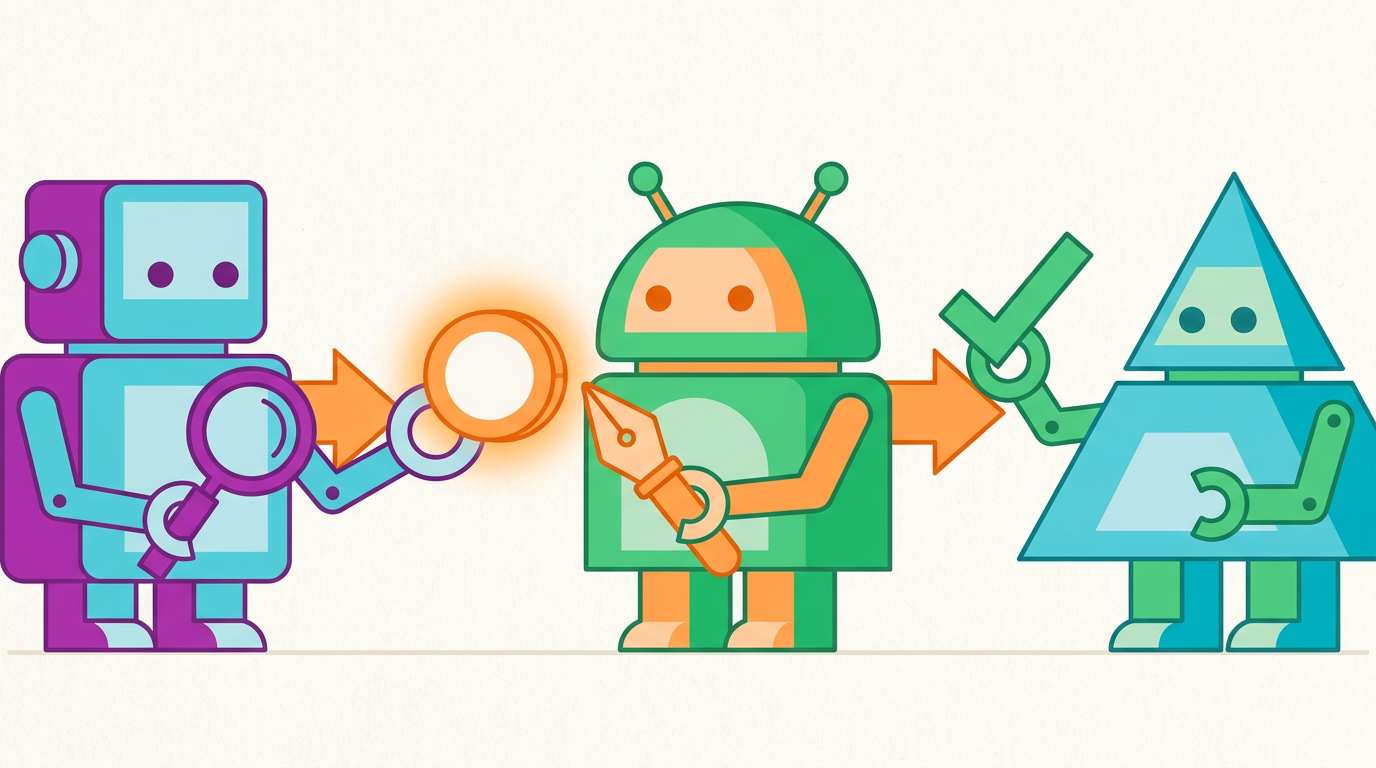
The simplest multi-agent shape: agent A's output is agent B's input, then C, and so on. A research agent gathers sources, a writer drafts, an editor revises.
Use when the steps are well-defined, mostly linear, and each stage genuinely benefits from a different specialization. Avoid when any stage might need to revisit an earlier one. Pipelines do not handle backtracking gracefully.
2. Router
A dispatcher agent inspects an incoming request and forwards it to the right specialist: a billing agent, a technical-support agent, a legal agent. The router does not solve the problem. It just decides who should.
Use when your domain has clean categories and the cost of misrouting is low. Avoid when the request inherently spans multiple specialists, because routing forces a single choice that may not exist.
3. Orchestrator-workers
A central orchestrator decomposes a task, assigns subtasks to worker agents in parallel or sequence, and assembles the results. The orchestrator owns the plan; workers own the execution.
Use when the problem is too large for one context window but the subtasks are independent enough to run on their own. This is the workhorse pattern for most enterprise workflows: research, due diligence, multi-source reporting.
4. Parallel fan-out (map-reduce)
A coordinator splits one job into N independent subjobs, runs them in parallel, and merges the answers. Summarize fifty support tickets, evaluate twenty contract clauses, generate variants of a marketing brief.
Use when subtasks are genuinely independent and latency matters. Avoid when subtasks need to share state mid-flight, since the parallelism becomes more cost than benefit.
5. Hierarchical (manager-of-managers)
Orchestrators all the way down. A top-level agent delegates to mid-level managers, who in turn coordinate teams of workers. This is what large workflows look like in practice: invoice processing, multi-system migrations, complex case investigations.
Use when the problem has natural sub-problems that themselves have sub-problems. Avoid when the work is shallow. Hierarchy adds coordination cost, and that cost only pays off when there is real depth to manage.
6. Reflection / critic loop
One agent produces output, a second agent critiques it, the first revises. Repeat until the critic is satisfied or a budget is exhausted. This is how you get from "plausible draft" to "actually correct."
Use when quality matters more than latency, and when errors are detectable in the output itself (factual claims, code, structured data). Avoid when the criteria for "good" are subjective or the critic has the same blind spots as the producer, since you will just confirm bad answers more confidently.
7. Debate / consensus
Multiple agents argue different positions, and a judge agent (or a vote) decides. Useful for ambiguous decisions where exposing tradeoffs explicitly leads to better outcomes than asking one agent to weigh everything internally.
Use when the problem is genuinely contested and the value is in surfacing the disagreement. Avoid when you just want an answer. Debate is expensive and slow.
8. Human-in-the-loop checkpoints
Not a coordination pattern between agents, but a pattern for the system: at specific points, the workflow pauses for human approval before proceeding. Sending an email, executing a transaction, deploying a change.
Use when the cost of an error exceeds the cost of a wait. The honest answer is: more places than teams usually want to admit.
How to choose
The patterns are not mutually exclusive. Real systems compose them. An orchestrator that fans out work in parallel, where each worker runs its own reflection loop, and the final assembly hits a human checkpoint before delivery.
A reasonable rule of thumb:
- Start with one agent. Add a second only when the first one has a job it is clearly bad at.
- Prefer orchestrator-workers over hierarchy until the depth justifies the cost. Most "we need a hierarchy" instincts can be served by a flatter shape.
- Use reflection sparingly. It doubles latency and cost. Reach for it on the steps where errors are expensive and detectable, not everywhere.
- Treat parallelism as an optimization, not a default. It pays off when subtasks are truly independent and adds chaos when they are not.
The pitfalls
Three failure modes show up over and over:
- Coordination cost eats the benefit. Five agents passing context to each other can be slower and worse than one agent that handles everything in one prompt. Measure the alternative before adding complexity.
- Lost context across handoffs. Each agent only sees what the previous one chose to pass along. Information that seemed irrelevant at step 2 turns out to be load-bearing at step 5. Design what each agent receives, do not let it emerge by accident.
- No global view. Once you have multiple agents, debugging becomes archeology. Without centralized tracing, you cannot tell whether a bad output came from a bad plan, a bad worker, or a bad handoff.
Where AIFlow fits
These patterns are universal. They show up whether you build on raw model APIs, a low-code builder, or a full platform. What changes is how much of the coordination, observability, and governance you have to build yourself.
AIFlow is an AI agent orchestration platform that gives you these patterns as first-class building blocks. You compose orchestrators, routers, parallel branches, and reflection loops without re-implementing the plumbing. Every handoff is traced. Every agent runs inside the same governance perimeter (SSO, role-based access, audit trails, model guardrails), so adding a new pattern does not mean adding a new compliance review.
Just as importantly: when one of the patterns above turns out to be the wrong choice, you can swap it without rewriting the rest of the system. That is the practical payoff of treating multi-agent design as architecture rather than as prompt engineering.
The bottom line
Multi-agent systems are not about using more agents. They are about using the right shape for the problem. Pick the smallest pattern that works, compose deliberately, and invest in observability before you invest in complexity. The teams that ship reliable agent workflows are not the ones with the most sophisticated graphs. They are the ones who chose well.